 KeyCodeNavigator
Pull up. Your code is already on screen.
KeyCodeNavigator keeps the gate, door and lockbox codes for every place you go, shares them end to end with the people who need them, and shows the right one when you pull up.
Coming soon on theApp StoreFor iPhone and iPad · 14-day free trial · Free for the people you share with
Save
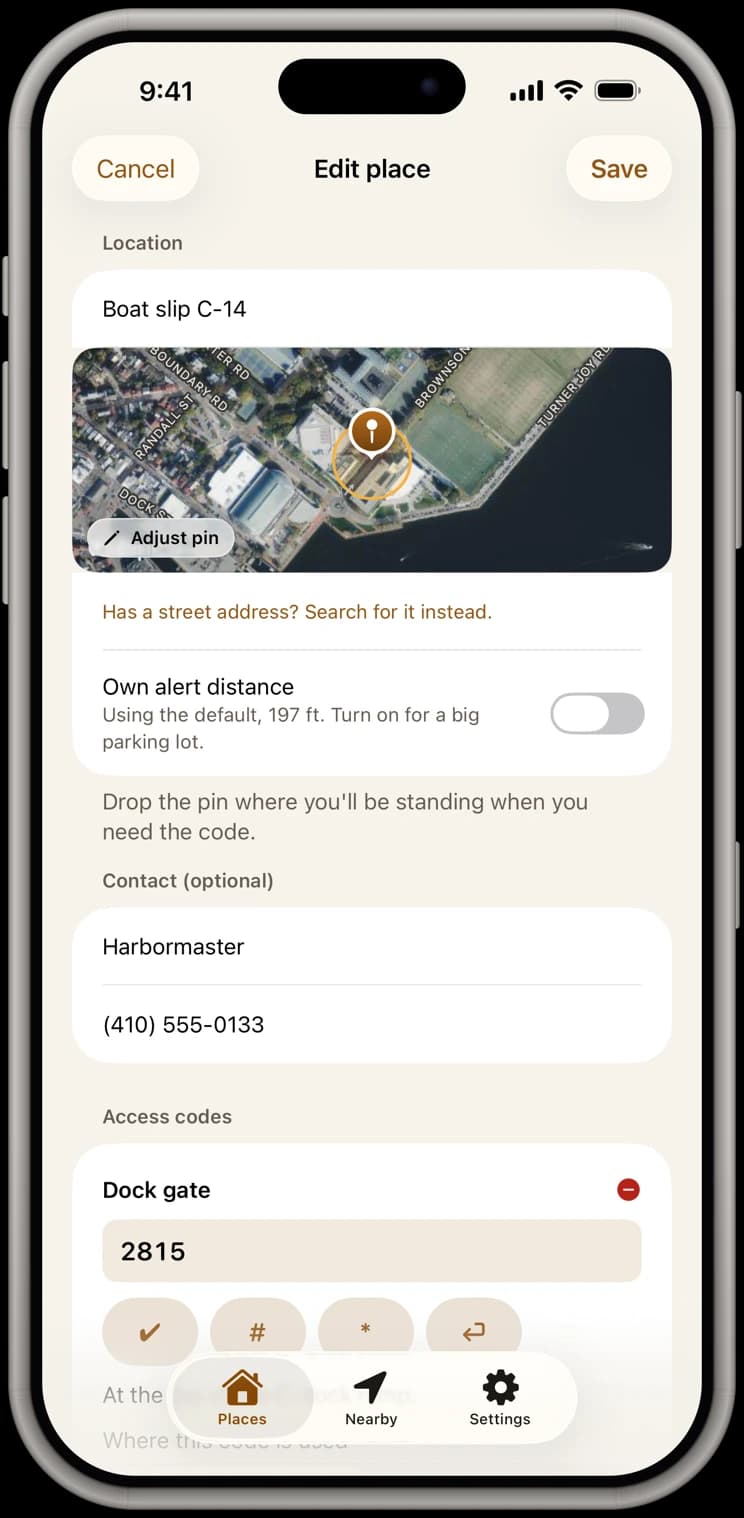
Save your codes for every place.
Gate, front door, lockbox, alarm: every code goes with the place it opens. Search the address, or skip it and drop a pin, so a boat slip or a storage unit works just like a house.
- As many codes per place as it needs, each labelled gate or property
- A note with each code, like “keypad on the driver's side”
- The place's contact, one tap from Call or Text
- Encrypted on your phone, behind Face ID
Share
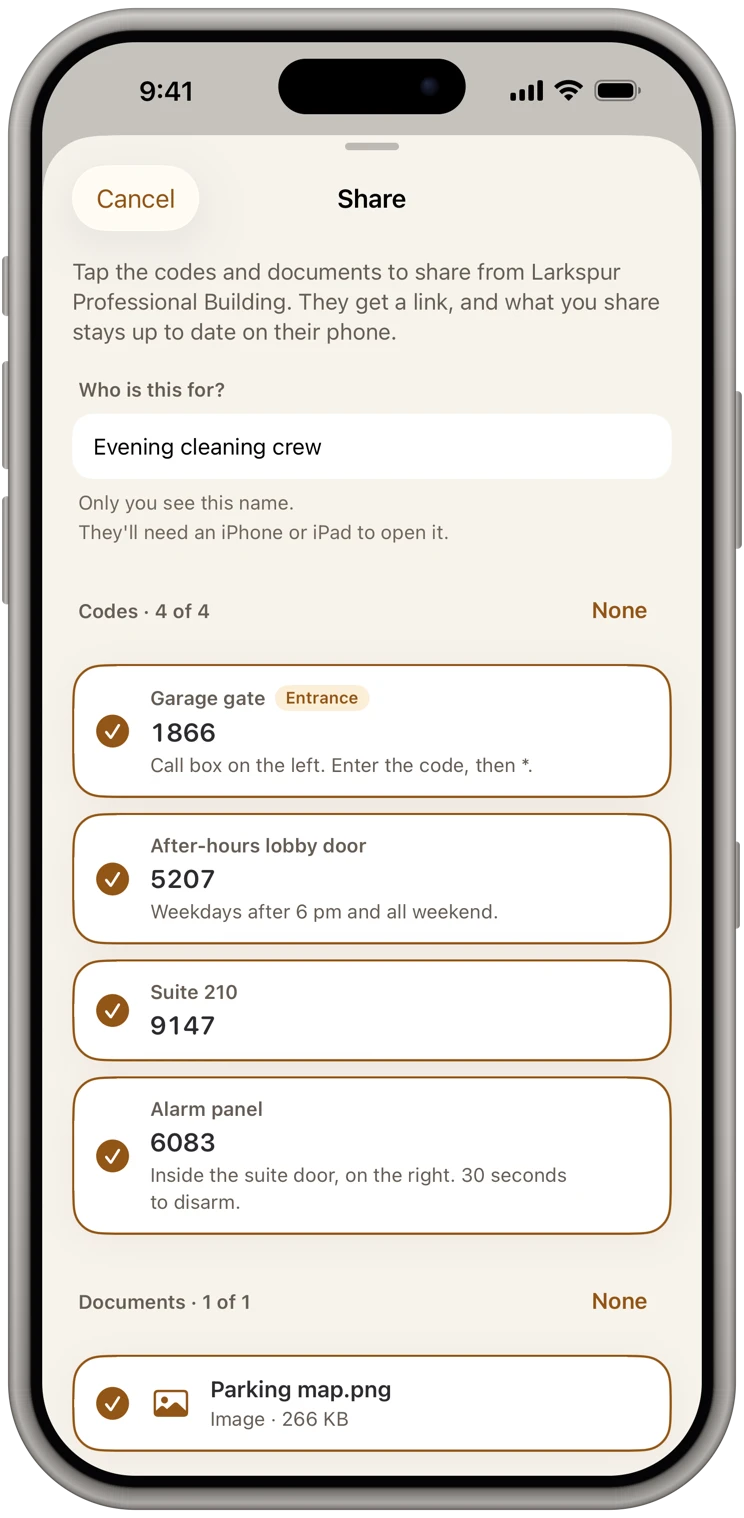
Share codes securely, end to end.
A code sent by text or email lives on in message threads, backups and old inboxes, out of your control. Here it goes app to app, encrypted: pick the person and exactly which codes and documents they get. They get a link, never a code: everything is sealed end to end on your phone, and our server only passes it along and can't read it.
- One link per person; a forwarded link opens nothing
- Change a code and it updates on their phone by itself
- Pause anyone to freeze their copy, or remove them to take it off their phone
- Free for them to receive, always
Documents
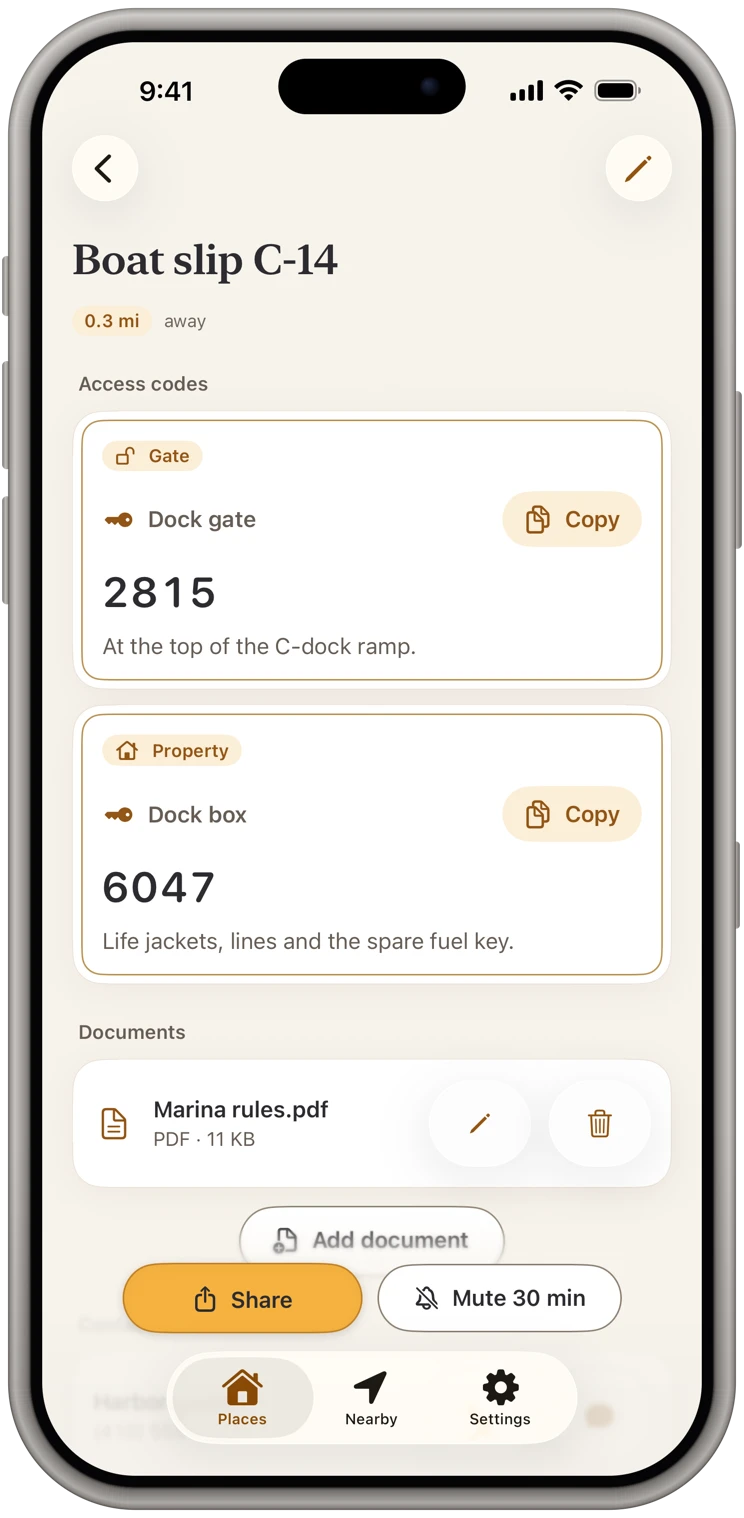
Send documents with the place.
Attach the HOA's gate instructions, a parking map or the marina rules from Files, Photos, the camera or Paste. Share them with the codes, and they arrive on the other phone sealed the same way.
- Encrypted on your phone, like your codes
- You choose which documents each person gets
- Shared photos leave without their location and camera details
- Up to 25 MB each
Arrive
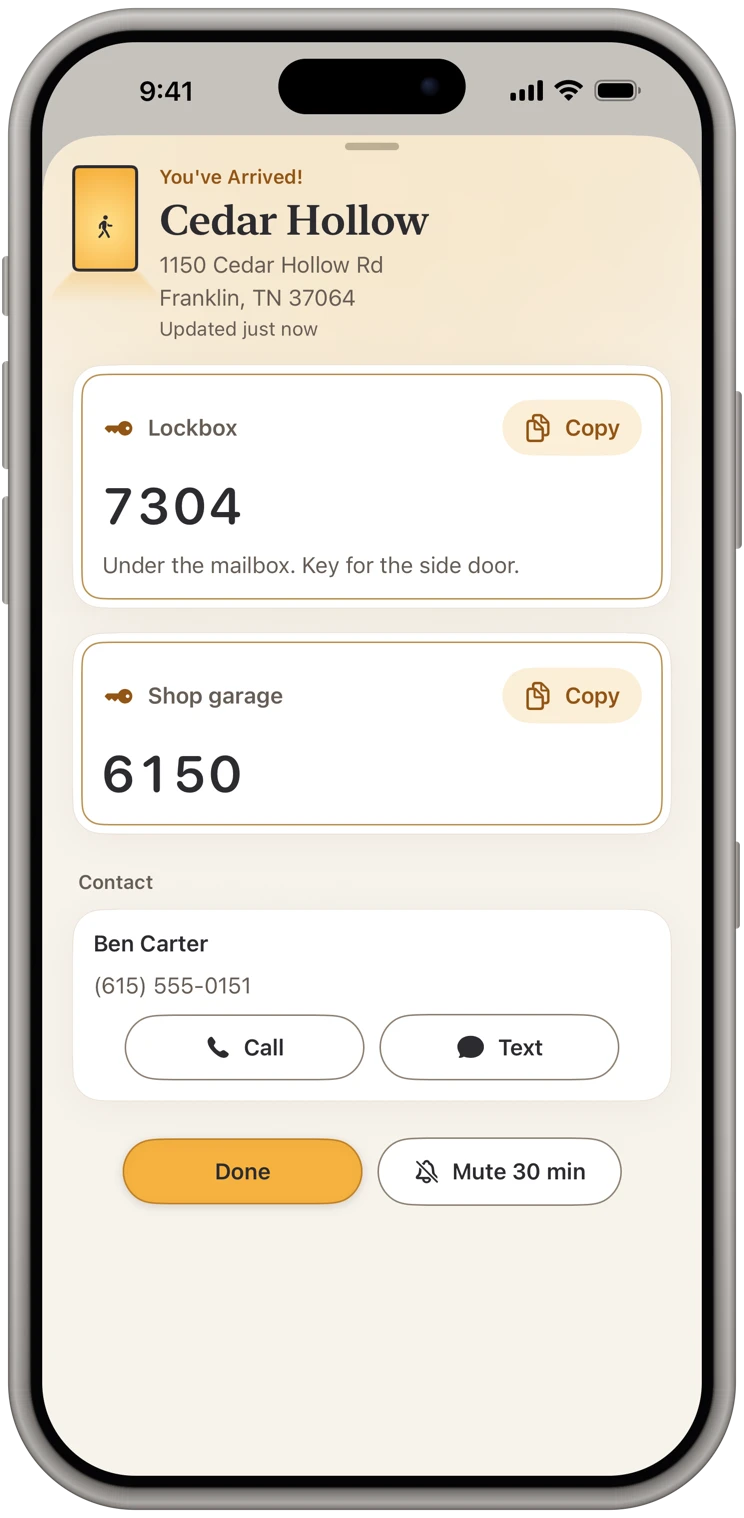
Drive up and get alerted, with the code on screen.
Stop at a saved place and the alert comes, even if the app was closed. Tap it and the place's codes are on screen, ready to copy.
- Behind a community gate: the gate code at the gate, then the house codes at the door
- Open the alert within 10 minutes and the codes show without asking for Face ID again
- Codes stay off the lock screen unless you turn that on
- Call or text the contact from the same screen
And the rest
Private, simple and fair.
Locked with Face ID
Face ID, Touch ID, your passcode or a password of your own, with a short grace period so you're not asked twice.
No account, no tracking
No sign-up and no account on a server. Your codes are encrypted on your phone. No ads, no analytics, no tracking. Privacy policy
Any place, no address needed
Name the spot and drop a pin: a ranch gate, a shed, a well house down a forest road.
Free for the people you share with
They add your place free and get your changes. Their own places and arrival alerts take a plan, and they can start their own 14-day free trial whenever they like.
If your trial or plan ends
Nothing is deleted. The place at the top of your list stays fully visible, read-only; the others keep their codes behind Subscribe to view. Places shared with you keep updating.
Safety actions are always free
Pausing or removing someone, changing a code and removing them, and deleting a place or your account never need a plan.
Pricing
Try it free for 14 days.
Then pick monthly or yearly. Either plan unlocks everything: your own places, arrival alerts at the gate and the door, sharing, documents, the home-screen widget and the lock-screen card.
Monthly
$9.99 a month
After the 14-day free trial.
Annual
$119.99 a year
After the 14-day free trial.
The free trial is Apple's introductory offer, one per Apple Account. It turns into the plan you picked unless you cancel at least 24 hours before it ends, in your iPhone's Settings → your name → Subscriptions. Plans renew until you cancel. Prices are in US dollars; the App Store shows the price in your country.
Who it's for
For anyone who walks up to a lot of doors.
KeyCodeNavigator was built by a realtor who got tired of digging through code sheets in the driveway while clients waited. It works the same for anyone whose day runs on codes.
Cleaners
Turnover after turnover, every door, lockbox and garage code is ready when you pull in.
Property managers
Units, gates and mechanical rooms, and each crew gets only the codes for its jobs.
Realtors
Lockbox and gate codes on screen at every showing, shared with the other agent in a few taps.
Short-term rental hosts
Every property's lock, lockbox and gate code in one place, shared with your cleaner and kept current.
Trades & service pros
HVAC, plumbing, electrical, pool and pest: every account's gate and garage code when you pull up.
Contractors & builders
Jobsite lockboxes, development gates and model homes, even on lots with no address yet.
Facilities & maintenance
Mechanical rooms, roof hatches, key boxes and master codes across every building you look after.
Home health & caregivers
Every patient's lockbox, gate and alarm code, encrypted on your phone and ready at the door.
Delivery drivers
The gate code for every community on your route, on screen as you stop at the keypad.
Owners of several properties
Vacation home, storage unit, boat slip, ranch gate: one list, no address required.
And everyone else who juggles codes tied to places: pet sitters, dog walkers, EMS and police at gated entries, and anyone with a shed, a well house or a gate at the back of the property.
For emergency use: KeyCodeNavigator is an aid, not a guaranteed way in. It shows the codes people saved, and a code can be wrong or out of date. Responders should always have an independent way to get in, and never rely on the app alone in an emergency.
Questions?
Answers to common questions are on the support page, or email us and a real person will get back to you.
Get support