 KeyCodeNavigator
KeyCodeNavigator for delivery drivers
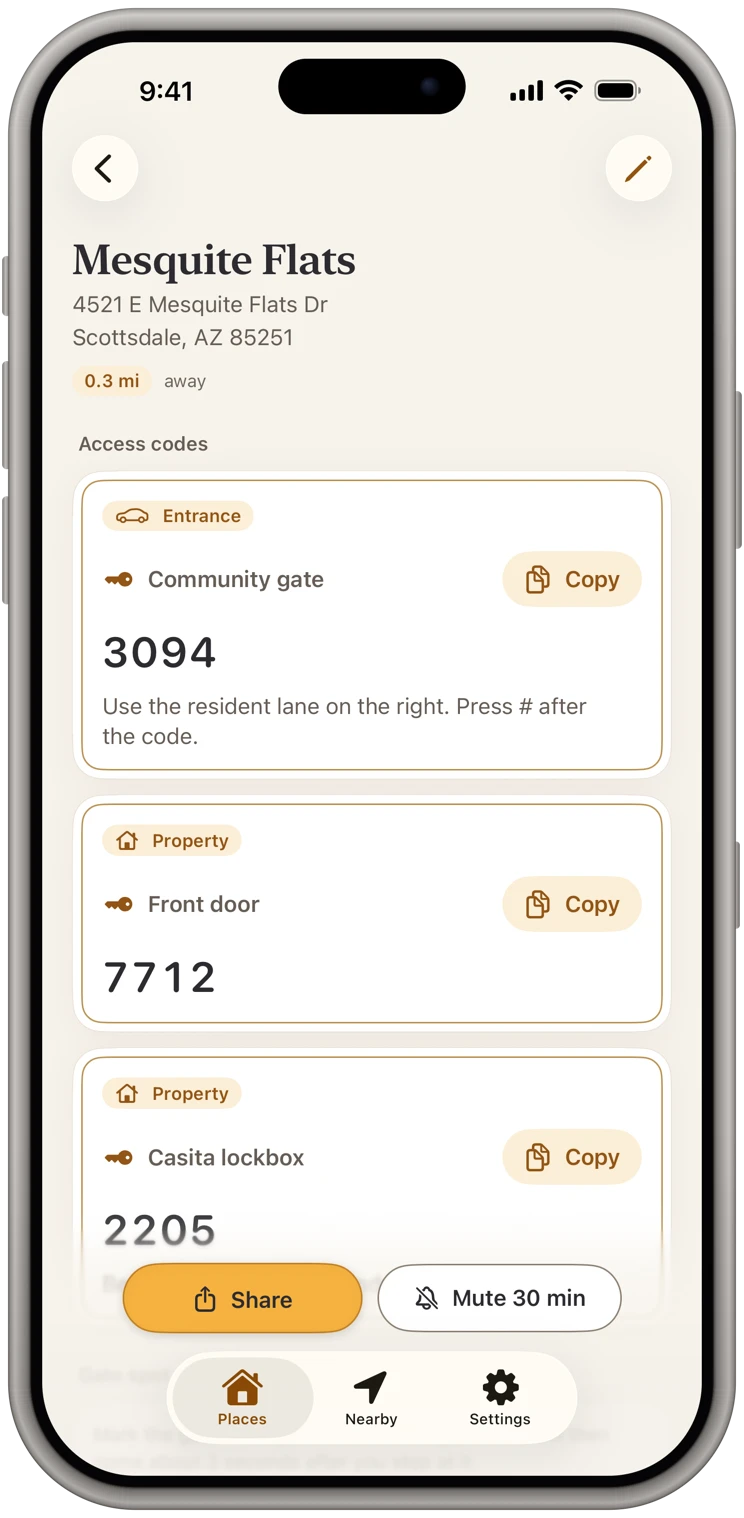
The gate code, on screen before the gate.
You deliver to the same gated communities and apartment buildings every week, and every time the code is buried in a delivery note you can no longer open. KeyCodeNavigator keeps each gate with its code and shows it as you arrive.
Coming soon on theApp StoreFor iPhone and iPad · 14-day free trial · Free for the people you share with
Sound familiar?
The code is never where you are.
- The gate code was in the delivery instructions, and they vanished the moment you marked the stop complete.
- Vehicle gate, pedestrian gate and lobby door all have different codes, and the note only mentioned one.
- A line of cars is forming behind you at the keypad while you scroll.
- Communities change codes without telling anyone, and you find out at the gate.
Save
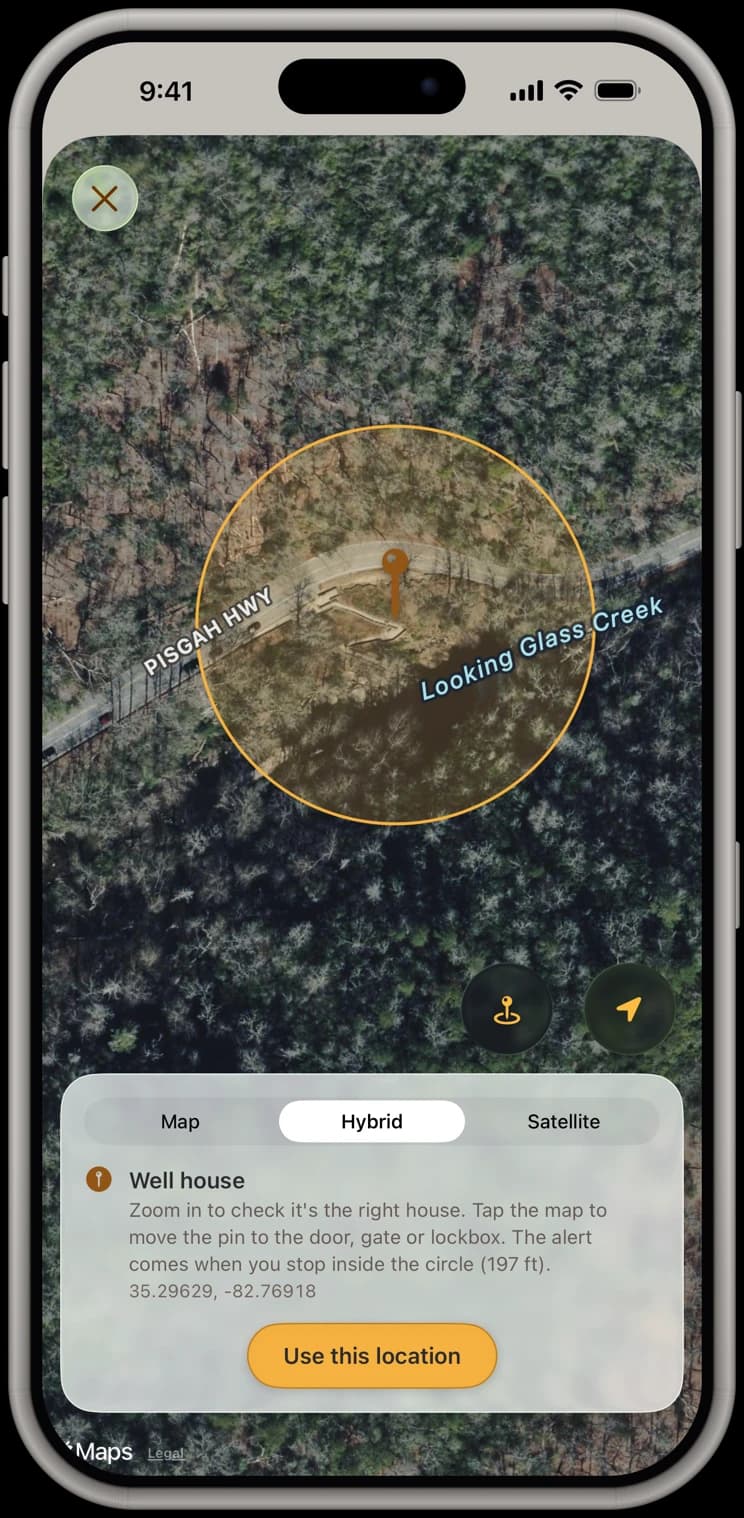
Every gate on your route, pinned.
Pin the gate itself, not the address behind it, and add the vehicle gate, walk-in gate, lobby and package room codes, each with a note like “press # after.”
Share
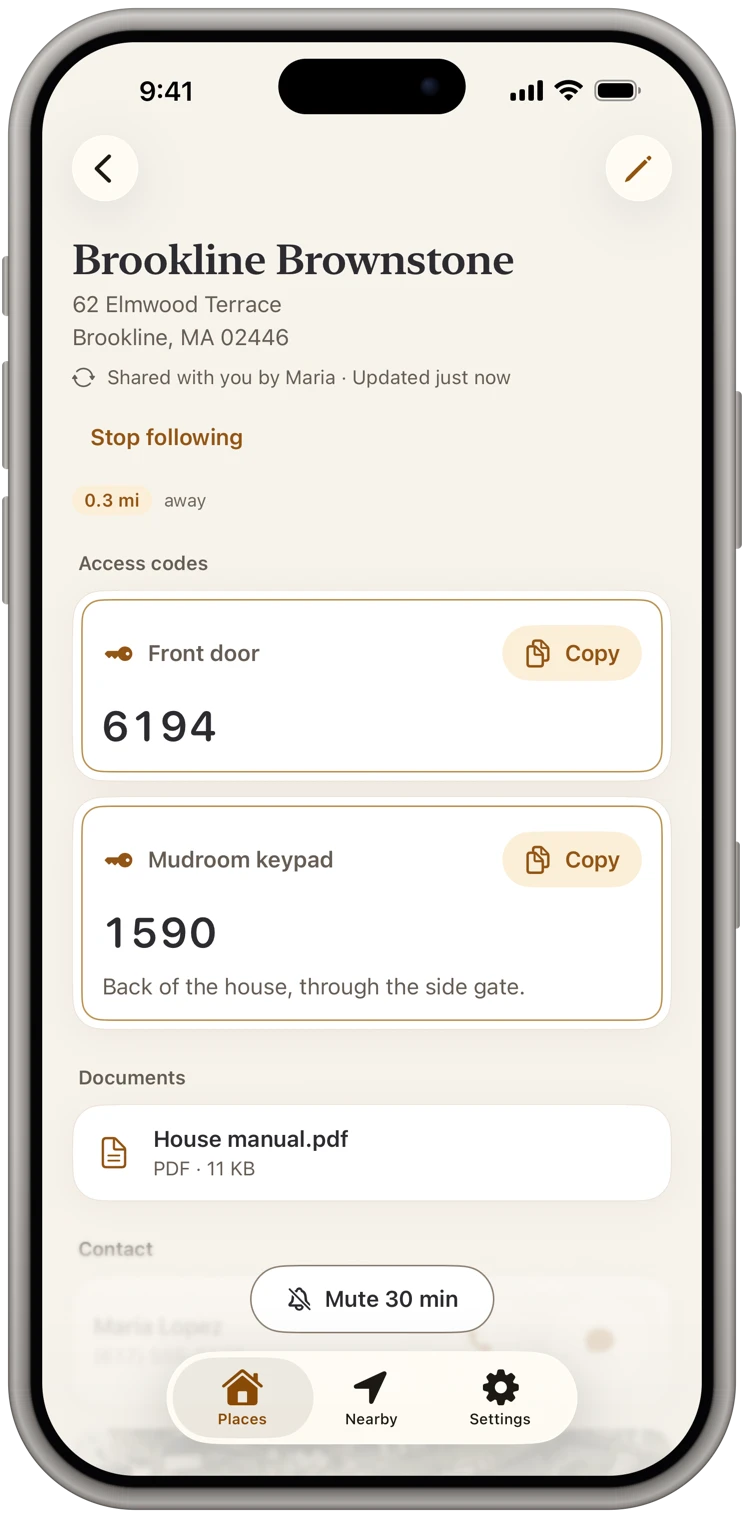
Regulars can share their gate codes with you.
A customer or a building manager who uses KeyCodeNavigator can share their gate with you: free to receive, sealed end to end, and updated on your phone when the code changes.
Documents
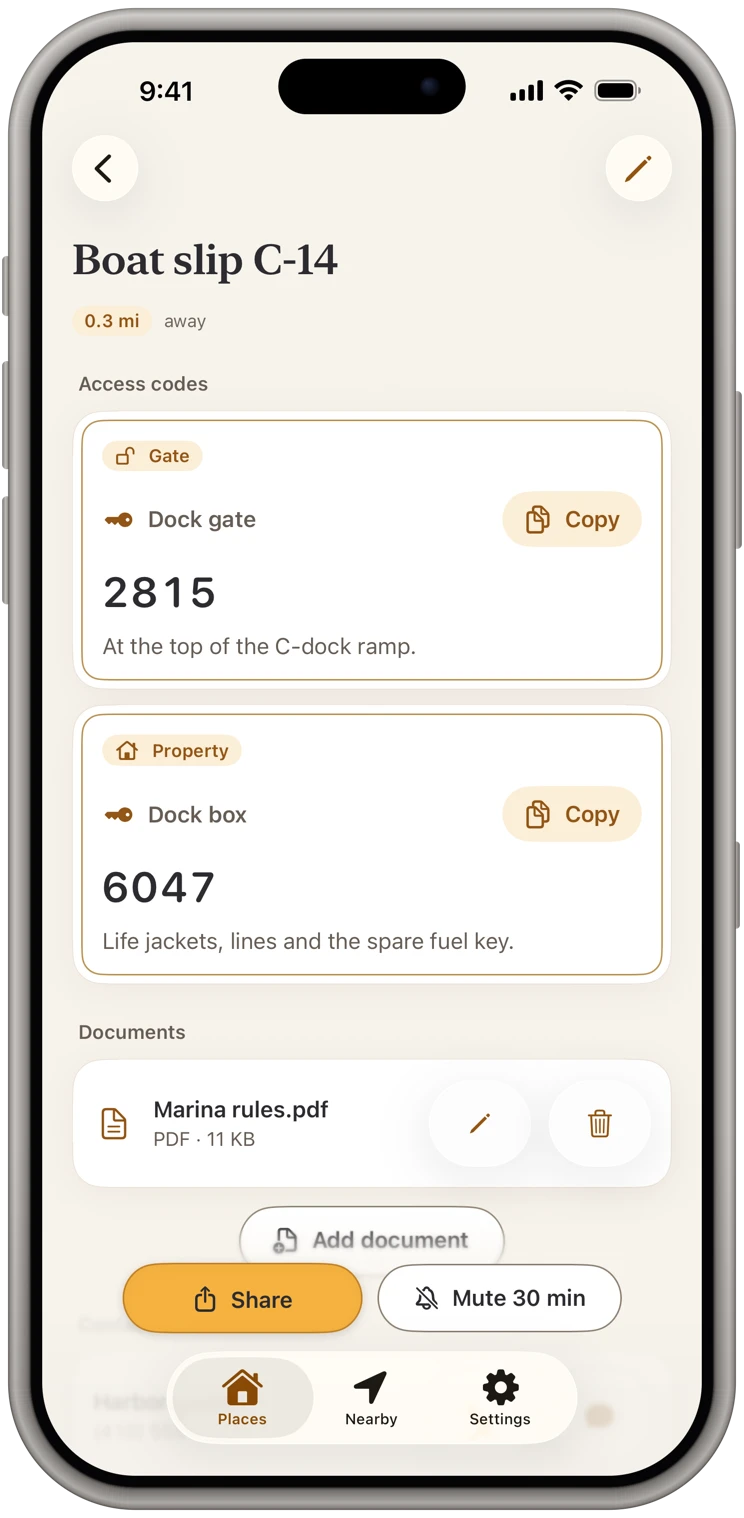
Gate instructions, attached.
Keep the community's gate instructions or a map of the buildings with the place, so the right door is easy to find.
Arrive
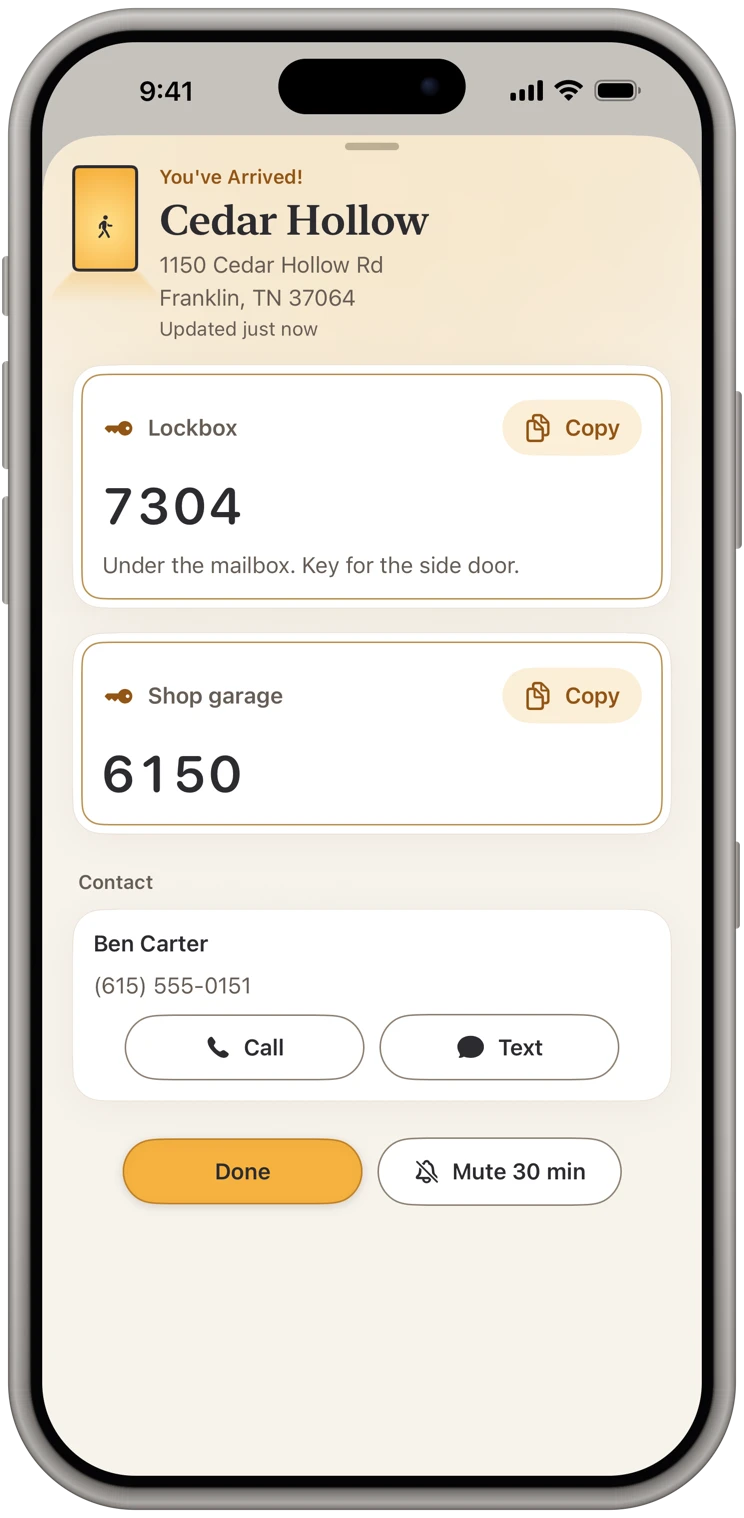
Roll up and the code is on screen.
Stop at the gate and its code comes up, even with the app closed. Keep the leasing office's number on the card for the day the code fails.
Plans and sharing
Simple to start, free to receive.
14 days free, then $9.99 a month
Or $119.99 a year. Either plan unlocks everything: your own places, arrival alerts, sharing and documents. Pricing
Free for the people you share with
They add your place free and get your changes, always. Their own places and alerts take a plan, and they can start their own 14-day free trial whenever they like.
Sealed end to end
The message holds only a link, never a code. Our server only passes your share along and can't read it. Privacy policy
Questions
Common questions from delivery drivers
- Is it OK to keep customers' gate codes?
- The codes you save stay encrypted on your phone, behind Face ID, and leave it only when you share a place, sealed end to end. Follow your company's rules for customer information; KeyCodeNavigator gives you a private place to keep what you're already allowed to know.
- Will it drain my battery on a long route?
- Arrival alerts use the iPhone's background location services and come once you've stopped at a saved place. Low Power Mode can delay them.
More on the support page, or see what the app does.
From the blog
Guides for delivery drivers
Stop Keeping Door Codes in Your Notes App and Text Threads
Notes and texts are where most of us keep gate, door and lockbox codes. Here is what goes wrong, what a better setup looks like, and how to switch in ten minutes.
Also built for
Realtors
Lockbox and gate codes, on screen at every showing.
Cleaners
Every client's door code, ready when you pull in.
Short-term rental hosts
Every rental's codes, shared with your cleaner and kept current.
Property managers
Every property's codes. Each crew gets only theirs.
Trades & service pros
Walk up to the job with the code already open.
Contractors & builders
Every jobsite's code, on screen when you pull onto the lot.
Facilities & maintenance
Every building's codes, in your pocket, on arrival.
Home health & caregivers
Every patient's lockbox code, private and ready at the door.
Owners of several properties
Every place you own, one list, on your phone.