 KeyCodeNavigator
KeyCodeNavigator for realtors
Lockbox and gate codes, on screen at every showing.
Built by a buyer's agent in Santa Rosa Beach, Florida who spent ten years calling listing agents for codes, then hunting for them in the driveway while clients waited. Save a property once, share it with the agents who need it, and the code is waiting when you pull up.
Coming soon on theApp StoreFor iPhone and iPad · 14-day free trial · Free for the people you share with
Sound familiar?
The code is never where you are.
- Showing instructions are scattered across MLS remarks, messages from the listing agent and your notes app.
- Gated communities have one code for the gate and another for the door, and the gate code is never in the same place.
- The buyer's agent, the inspector, the appraiser and the photographer all ask for the code, and each time you go hunting for it.
- Codes change between listing and closing, and the old ones linger in old message threads.
Save
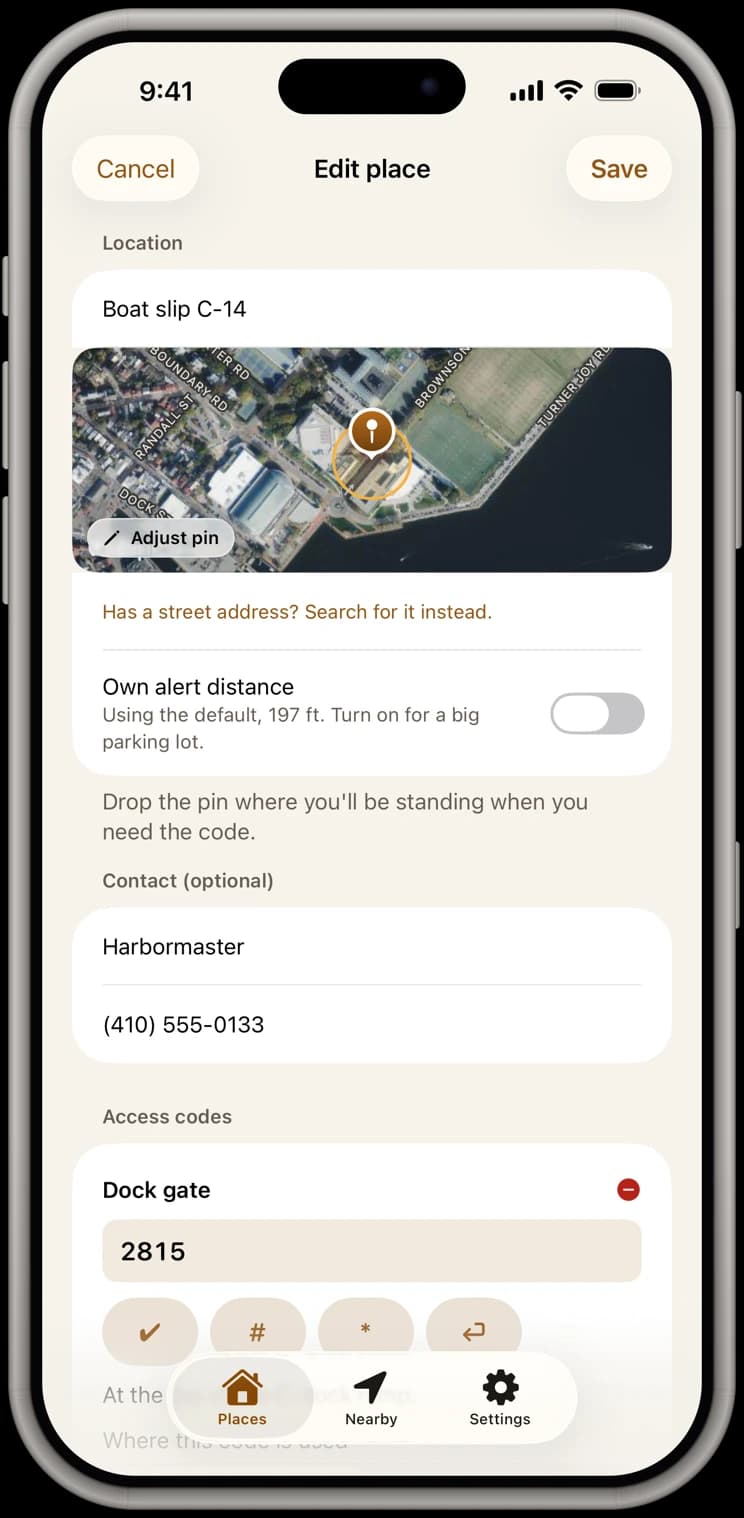
Every listing's codes, saved with the property.
Lockbox, gate, garage and alarm, each with a note like “lockbox on the gas meter.” In a gated community the entrance gate code is kept apart from the house codes, and the listing agent's number sits on the card.
Share
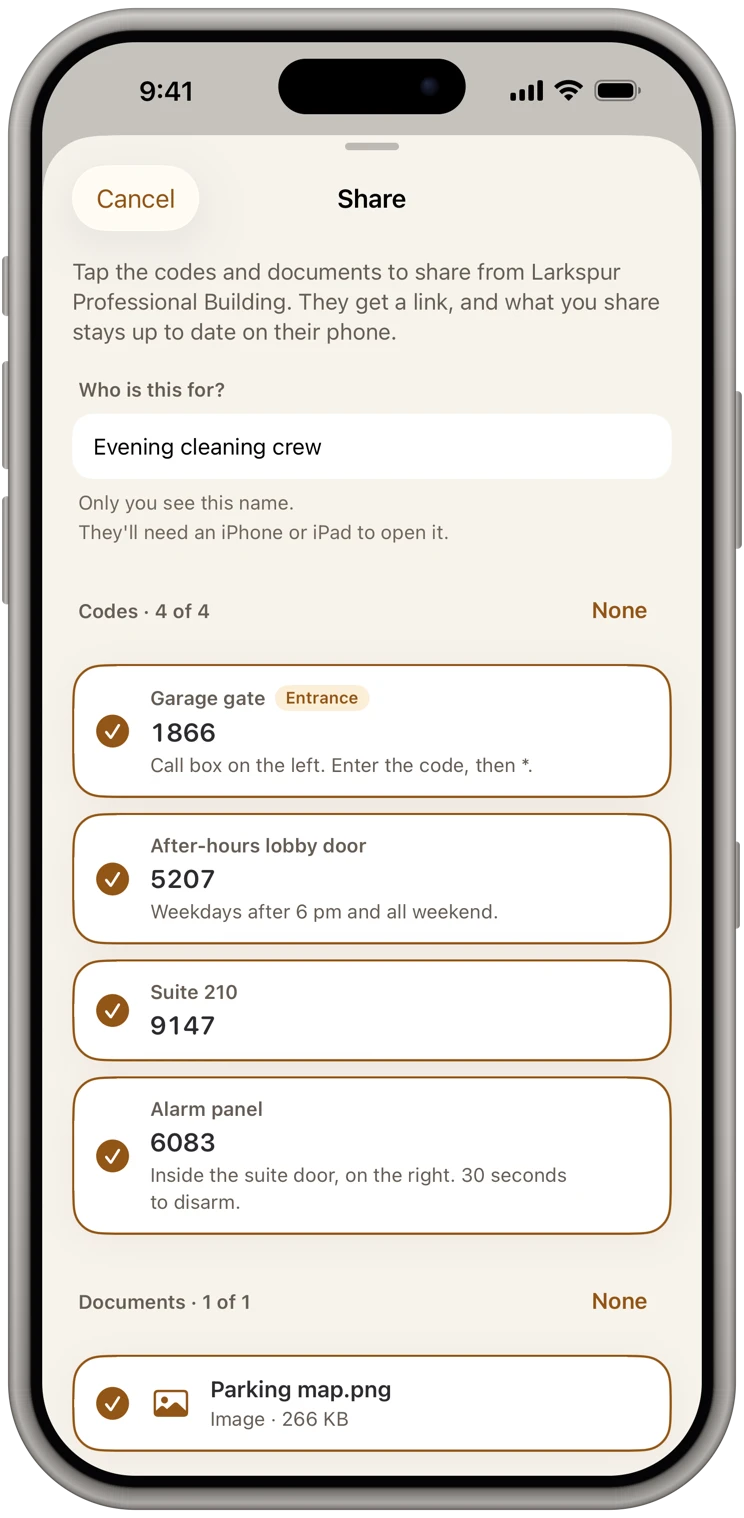
Share a listing with each agent who shows it.
Pick the buyer's agent and exactly which codes they get. They get a link, never a code: it's sealed end to end on your phone, our server only passes it along and can't read it, and they add it free. Change the lockbox code and their copy updates; remove them after the showing and it comes off their phone.
Documents
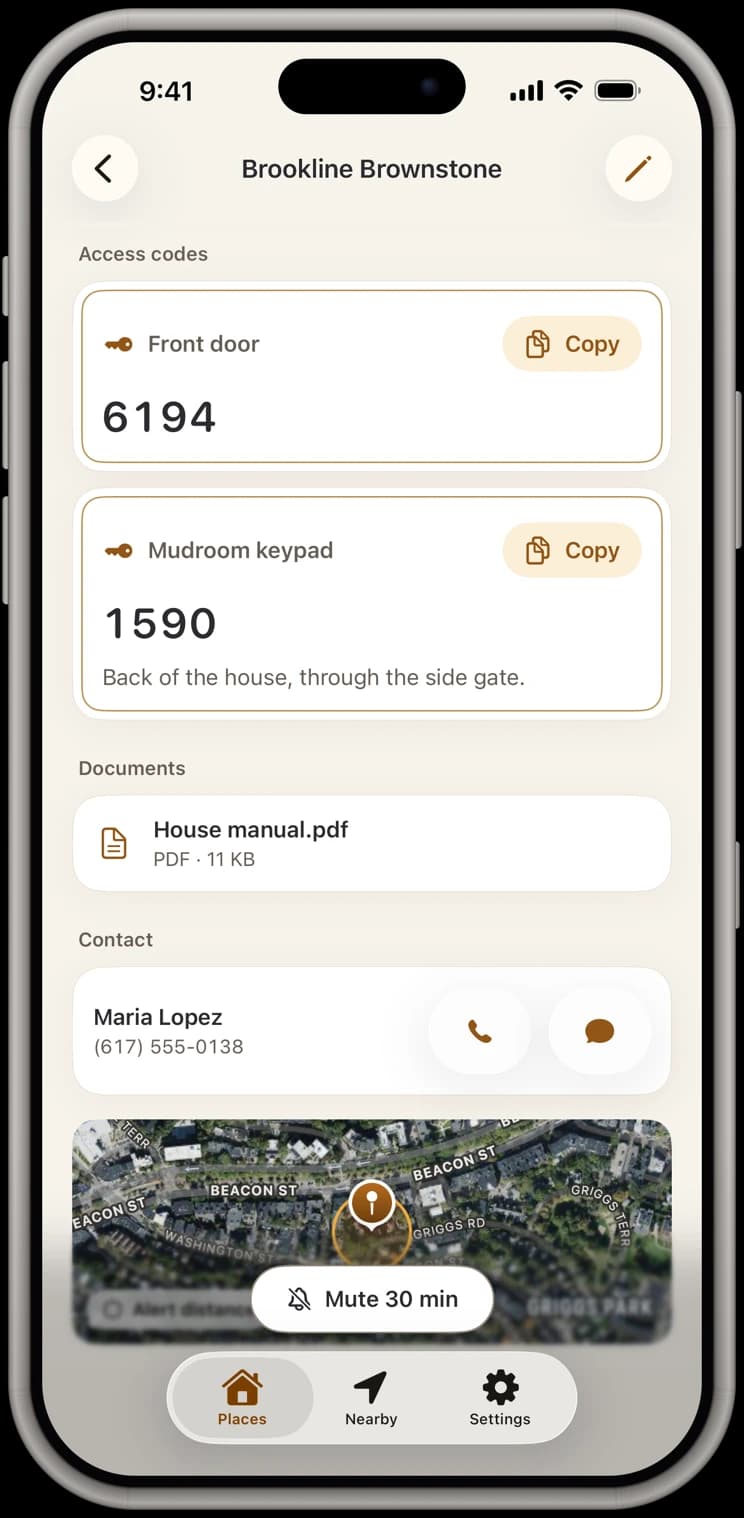
Showing instructions go with the property.
Attach the showing instructions, the HOA's gate letter or a floor plan from Files, Photos or the camera, and choose which agents get them. They're encrypted like the codes.
Arrive
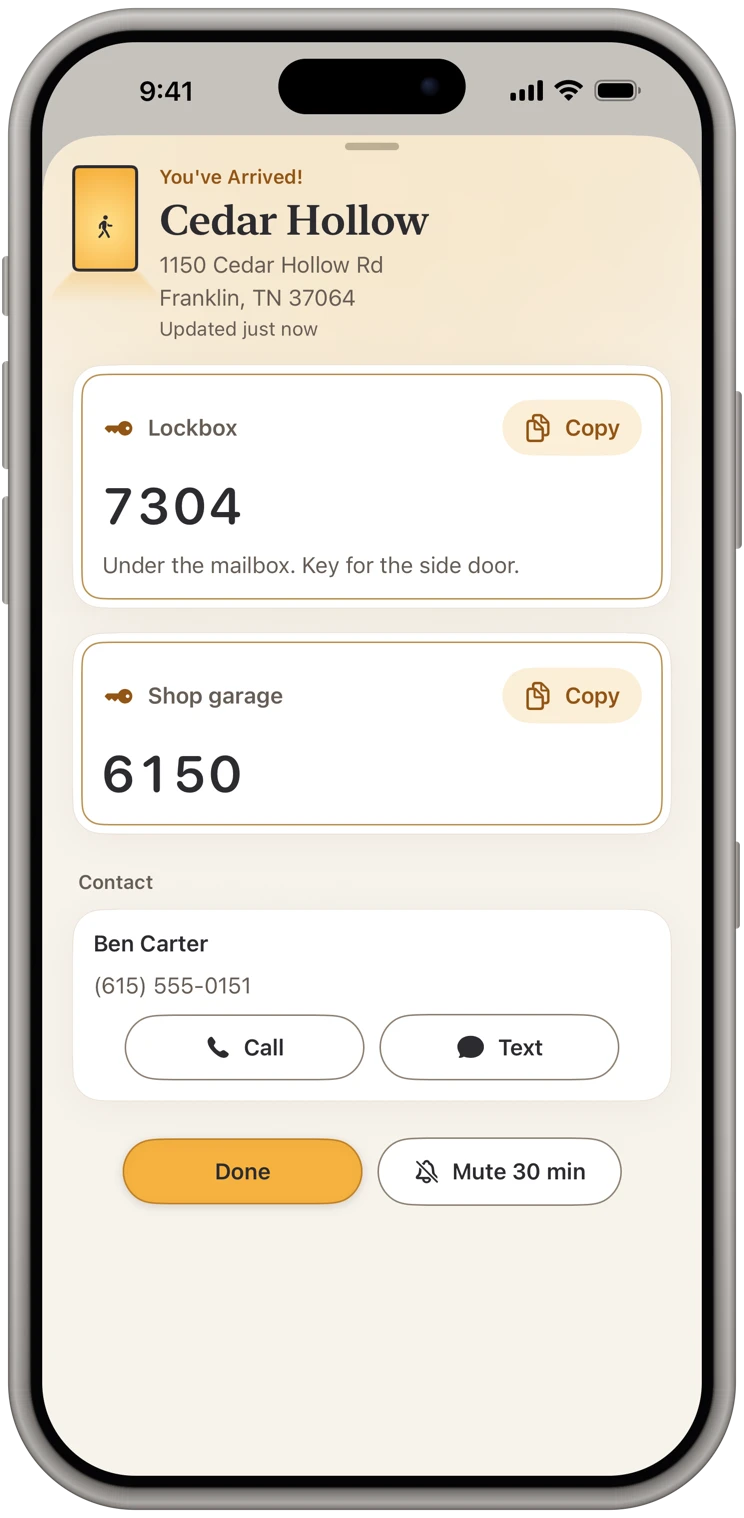
Pull up and the code is on screen.
Stop in the driveway and the alert comes, even with the app closed. In a gated community the gate code comes at the gate, then the house codes at the door, ready to copy while the buyers wait.
Plans and sharing
Simple to start, free to receive.
14 days free, then $9.99 a month
Or $119.99 a year. Either plan unlocks everything: your own places, arrival alerts, sharing and documents. Pricing
Free for the people you share with
They add your place free and get your changes, always. Their own places and alerts take a plan, and they can start their own 14-day free trial whenever they like.
Sealed end to end
The message holds only a link, never a code. Our server only passes your share along and can't read it. Privacy policy
Questions
Common questions from realtors
- Does it work with Supra or SentriLock lockboxes?
- KeyCodeNavigator stores and shows codes; it does not open electronic lockboxes. It is for the combination lockboxes, gate keypads, garage keypads and alarm codes that never fit neatly in the MLS.
- Does the other agent have to pay?
- No. Receiving a shared property is free, always: they install the app, add it, and see the codes you chose, kept up to date. A plan is only for adding and sharing your own properties and for arrival alerts.
- What happens after closing?
- Delete the property, or keep it with a note. If you shared it, deleting also takes it off the phones you shared it with.
- Can my whole brokerage share one list?
- Not as a shared account. Each agent keeps their own list, and you share a property with a colleague when they need it.
More on the support page, or see what the app does.
From the blog
Guides for realtors
How to Share the Lockbox Code and the Listing Documents With a Buyer's Agent in One Place
Listing agents: send the code with the cost-of-ownership sheet, upgrade list and rental numbers, so the buyer's agent can show them at the door.
Stop Keeping Door Codes in Your Notes App and Text Threads
Notes and texts are where most of us keep gate, door and lockbox codes. Here is what goes wrong, what a better setup looks like, and how to switch in ten minutes.
How to Keep Track of Lockbox Codes as a Real Estate Agent
A working system for lockbox, gate and alarm codes across your listings and showings, so you are never digging through texts in the driveway while clients wait.
Also built for
Cleaners
Every client's door code, ready when you pull in.
Short-term rental hosts
Every rental's codes, shared with your cleaner and kept current.
Property managers
Every property's codes. Each crew gets only theirs.
Trades & service pros
Walk up to the job with the code already open.
Contractors & builders
Every jobsite's code, on screen when you pull onto the lot.
Facilities & maintenance
Every building's codes, in your pocket, on arrival.
Home health & caregivers
Every patient's lockbox code, private and ready at the door.
Delivery drivers
The gate code, on screen before the gate.
Owners of several properties
Every place you own, one list, on your phone.