 KeyCodeNavigator
KeyCodeNavigator for trades & service pros
Walk up to the job with the code already open.
HVAC, plumbing, electrical, pool, pest, landscaping: your accounts are properties you visit again and again, and every one has a gate, a garage or a mechanical room with a code. KeyCodeNavigator keeps each property's codes together and puts them on screen when you arrive.
Coming soon on theApp StoreFor iPhone and iPad · 14-day free trial · Free for the people you share with
Sound familiar?
The code is never where you are.
- Dispatch sends the address, the customer sends the code, and they are never in the same message.
- Recurring accounts such as pool, pest and HVAC maintenance have gate codes you visit monthly and forget weekly.
- A management company gives you twenty properties, each with its own gate, side door and mechanical room code.
- You need the code for the side gate, not the front door.
Save
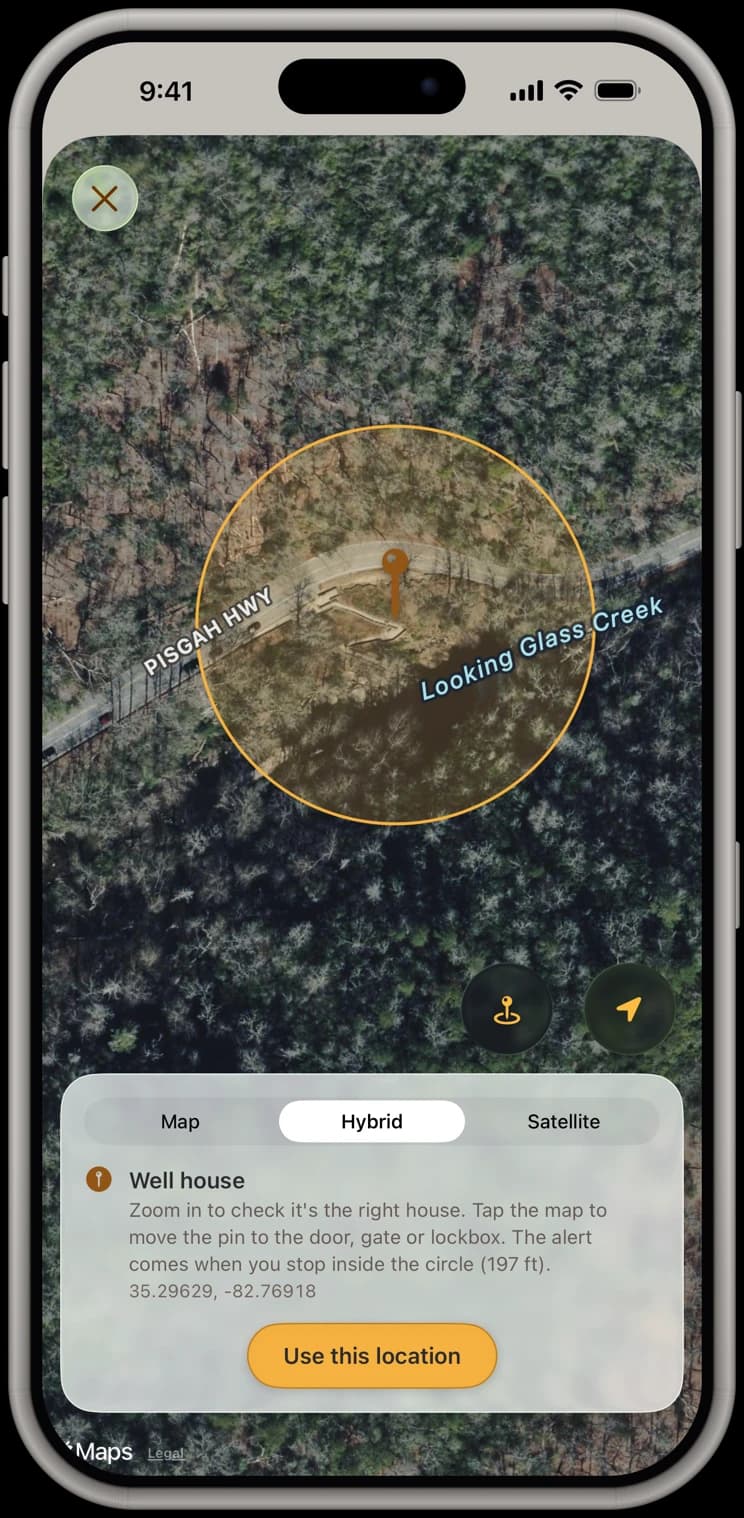
Every account's codes, pinned where you stop.
Save each property with its gate, garage and mechanical room codes and a note like “side gate sticks, lift and push.” Zoom in on satellite and put the pin at the gate you actually use.
Share
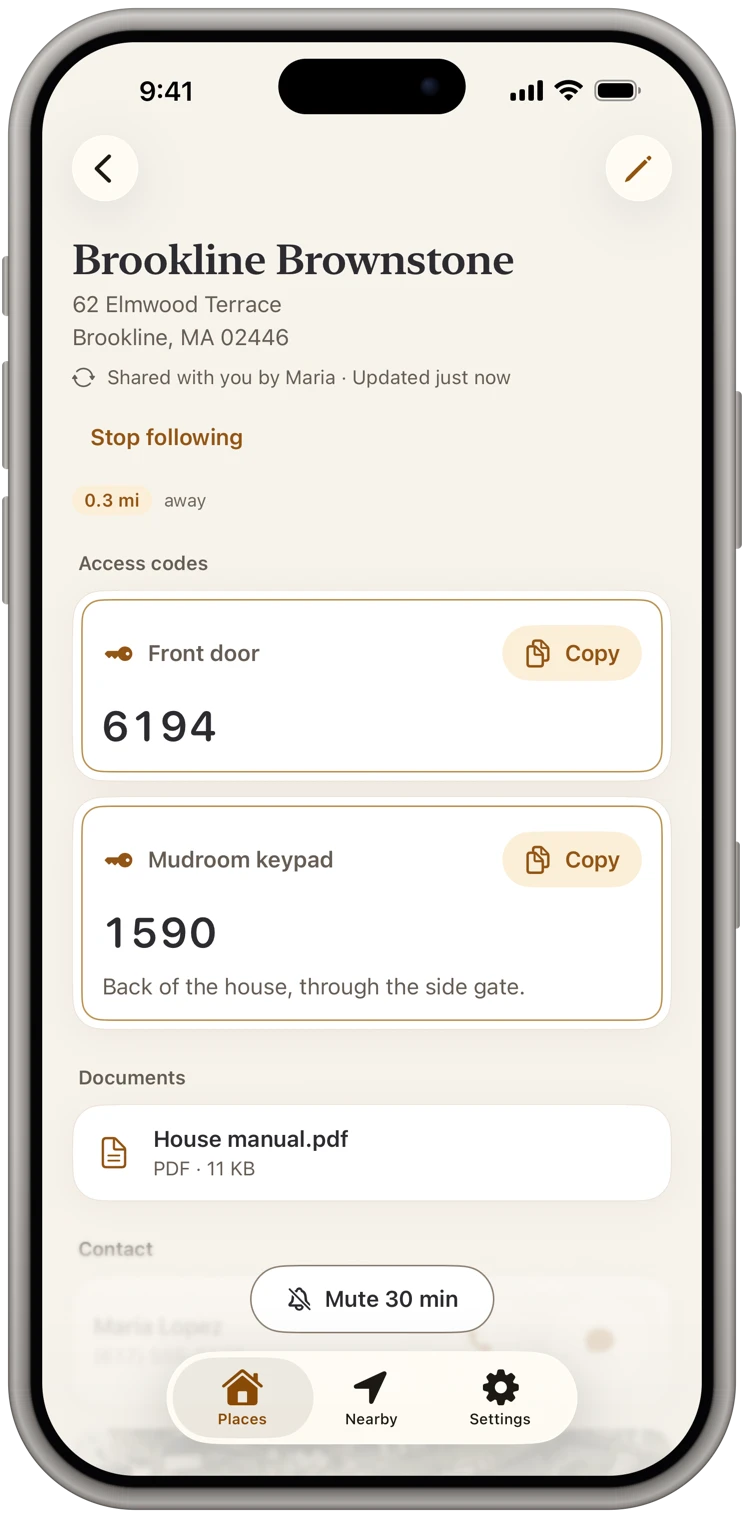
Customers can share their codes with you.
When a customer or a property manager uses KeyCodeNavigator, they share the property with you: free for you to receive, sealed end to end, and updated on your phone when they change a code. With a plan, you can share one account with whoever covers the route today.
Documents
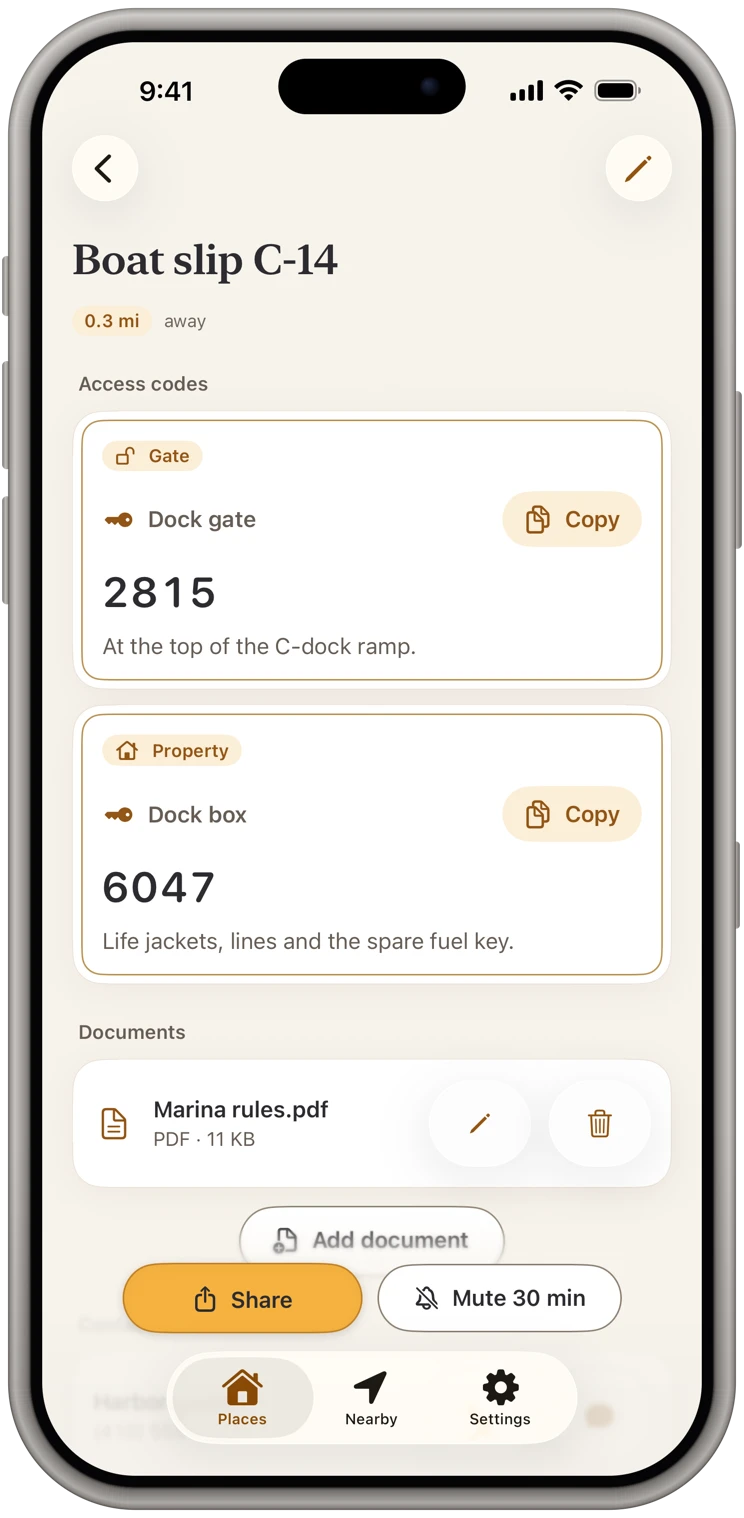
Site notes and equipment details, attached.
Keep the panel schedule, a photo of the equipment tag or the site's access rules with the property, encrypted like the codes.
Arrive
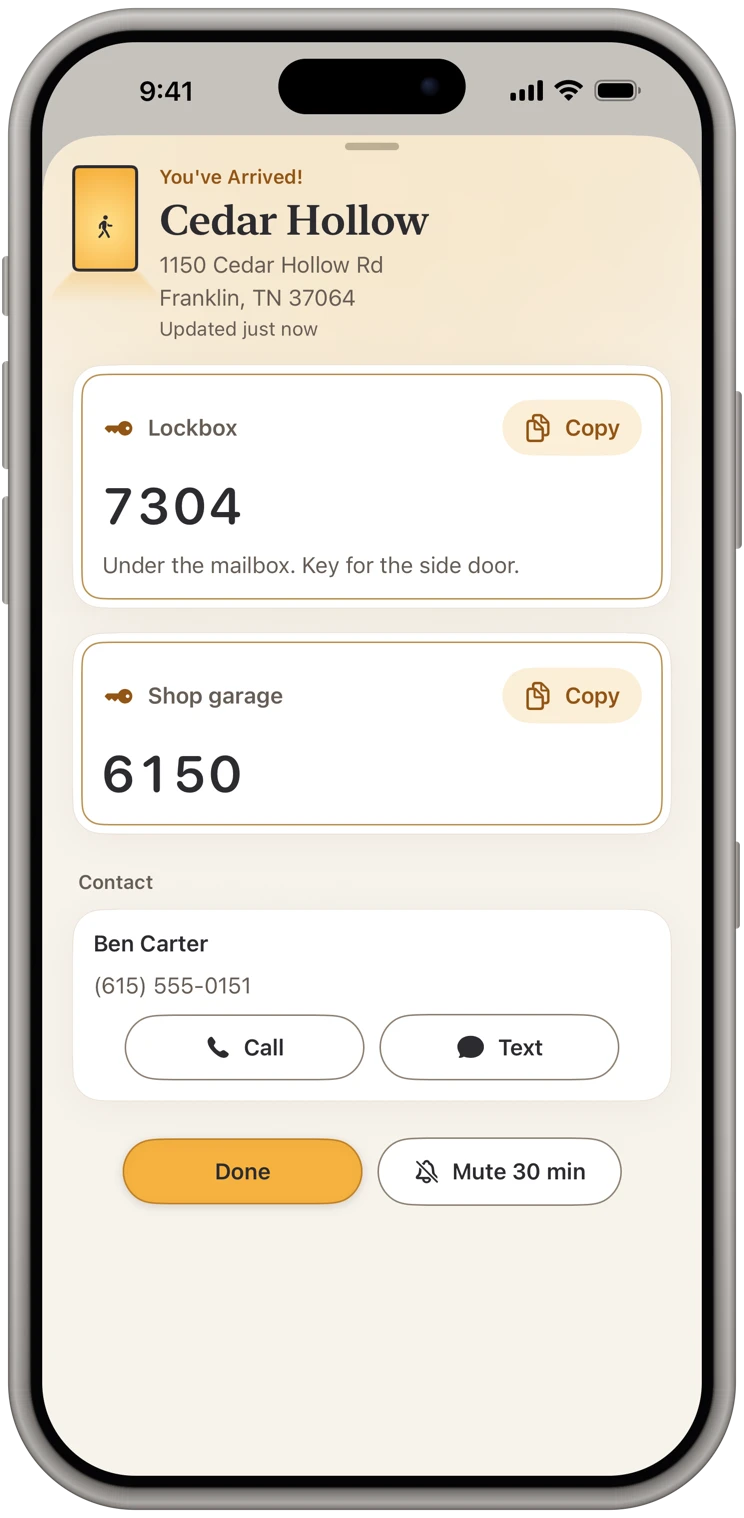
Codes come up when you stop.
Pull up to a recurring account and its gate and garage codes are on screen, even with the app closed. The customer's number is one tap away if a code fails.
Plans and sharing
Simple to start, free to receive.
14 days free, then $9.99 a month
Or $119.99 a year. Either plan unlocks everything: your own places, arrival alerts, sharing and documents. Pricing
Free for the people you share with
They add your place free and get your changes, always. Their own places and alerts take a plan, and they can start their own 14-day free trial whenever they like.
Sealed end to end
The message holds only a link, never a code. Our server only passes your share along and can't read it. Privacy policy
Questions
Common questions from trades & service pros
- Will it drain my battery running all day?
- Arrival alerts use the iPhone's background location services and come once you've stopped at a saved place. Low Power Mode can delay them.
- Does it need cell service at the job?
- No. Your codes are stored on the phone, so they're there with or without a signal. Shared updates arrive once you're back online.
- Do I pay for codes customers share with me?
- No. Receiving is free, always. A plan adds arrival alerts and your own places.
More on the support page, or see what the app does.
From the blog
Guides for trades & service pros
Stop Keeping Door Codes in Your Notes App and Text Threads
Notes and texts are where most of us keep gate, door and lockbox codes. Here is what goes wrong, what a better setup looks like, and how to switch in ten minutes.
How to Keep Track of Lockbox Codes as a Real Estate Agent
A working system for lockbox, gate and alarm codes across your listings and showings, so you are never digging through texts in the driveway while clients wait.
Also built for
Realtors
Lockbox and gate codes, on screen at every showing.
Cleaners
Every client's door code, ready when you pull in.
Short-term rental hosts
Every rental's codes, shared with your cleaner and kept current.
Property managers
Every property's codes. Each crew gets only theirs.
Contractors & builders
Every jobsite's code, on screen when you pull onto the lot.
Facilities & maintenance
Every building's codes, in your pocket, on arrival.
Home health & caregivers
Every patient's lockbox code, private and ready at the door.
Delivery drivers
The gate code, on screen before the gate.
Owners of several properties
Every place you own, one list, on your phone.