 KeyCodeNavigator
KeyCodeNavigator for property managers
Every property's codes. Each crew gets only theirs.
Gates, lobbies, mechanical rooms, vacant units and key lockboxes. KeyCodeNavigator keeps every property's codes with a pin on the map, shares exactly the ones each vendor needs, end to end, and shows them when you pull up.
Coming soon on theApp StoreFor iPhone and iPad · 14-day free trial · Free for the people you share with
Sound familiar?
The code is never where you are.
- The code sheet is a spreadsheet that is always one revision behind what is on the door.
- Mechanical rooms and utility gates have no address of their own, so they never fit in the system.
- Vendors call for codes on the way to a job and you are driving.
- Staff turnover means codes from old threads are still out there.
Save
One place per property, every code on it.
Gate, lobby, mechanical room and unit codes, each with a note. Pin a pump house, a utility gate or a storage yard on the satellite map and it works like any property.
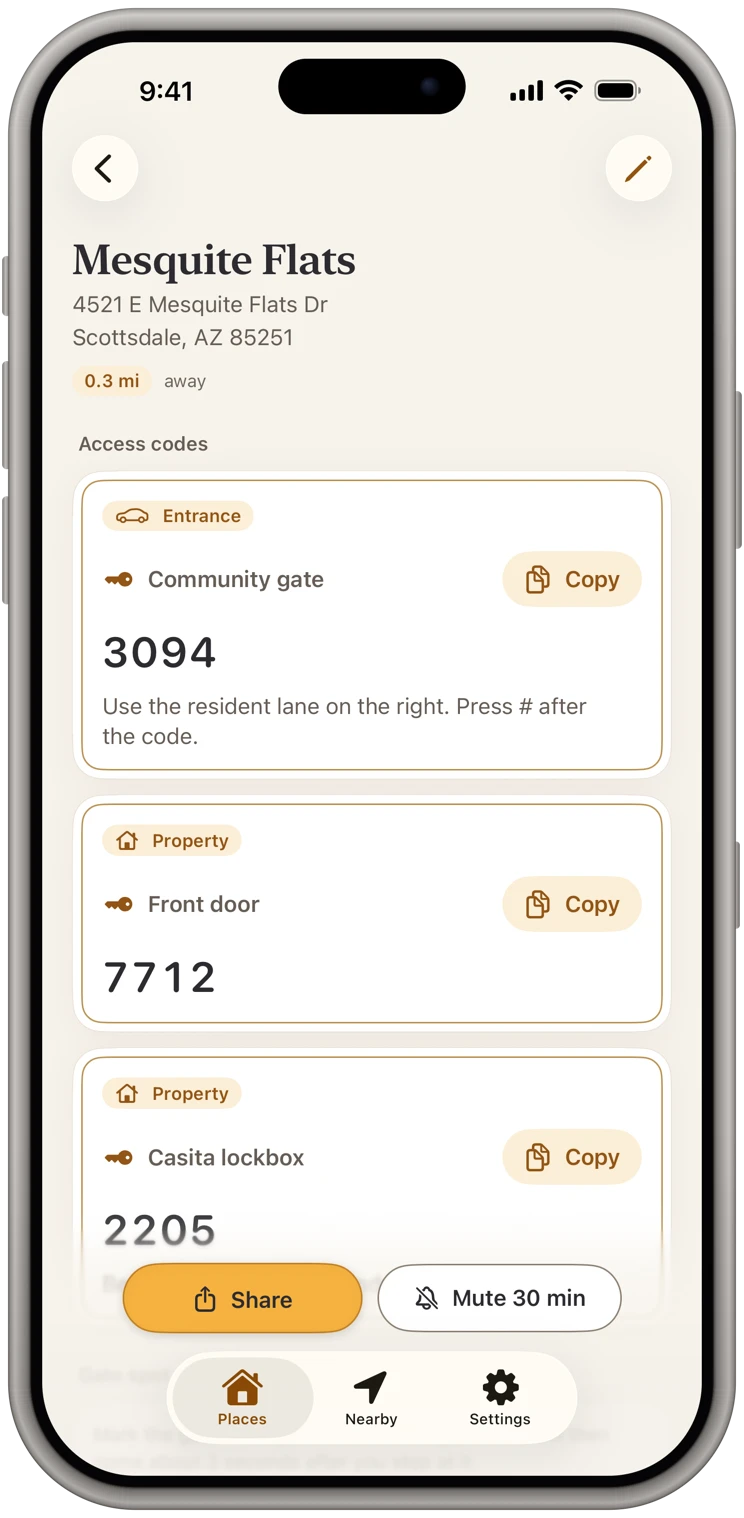
Share
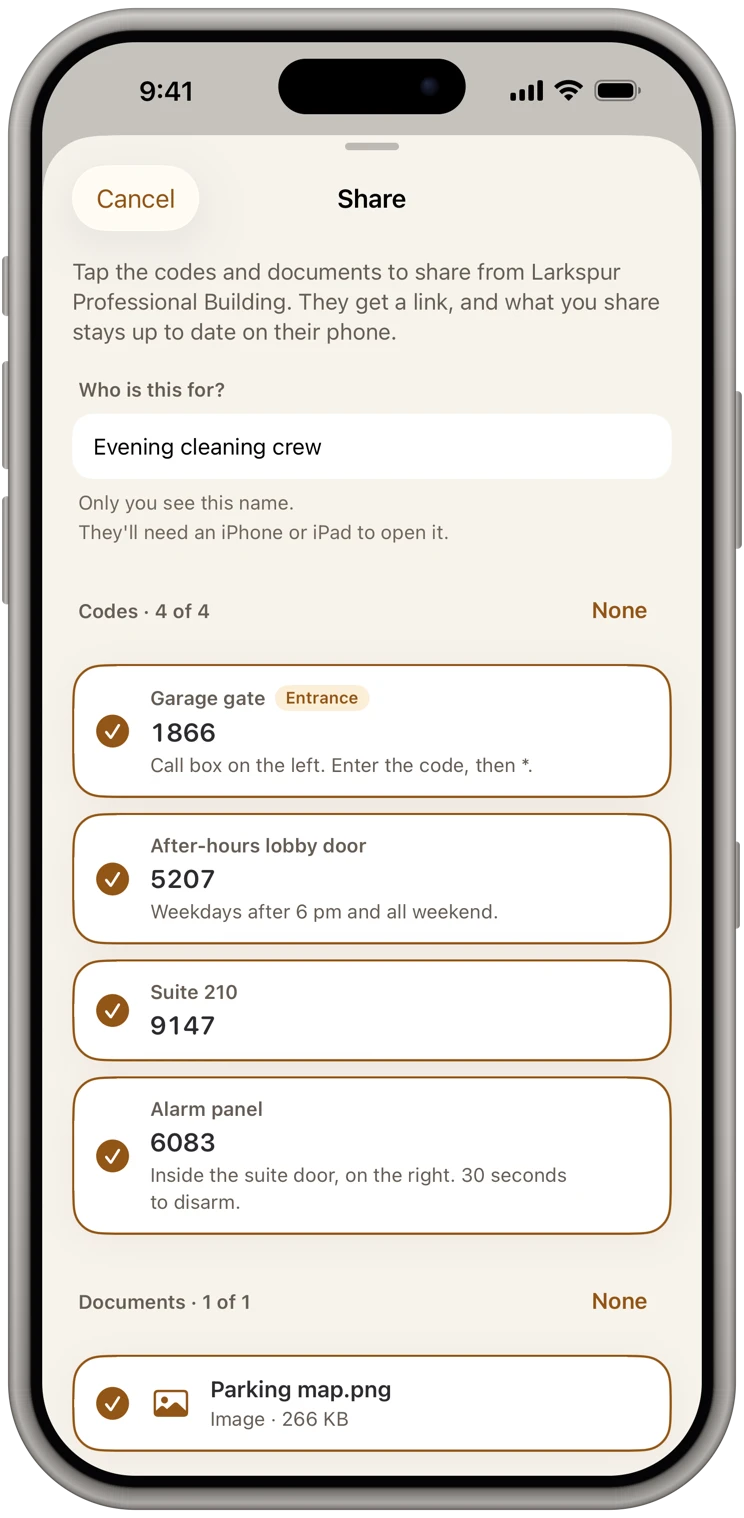
Share with a vendor, then take it back.
Pick the plumber and the codes for today's job. They get a link, never a code, sealed end to end, and add it free. Pause their updates or remove them when the job's done and it comes off their phone. They can't pass it on.
Documents
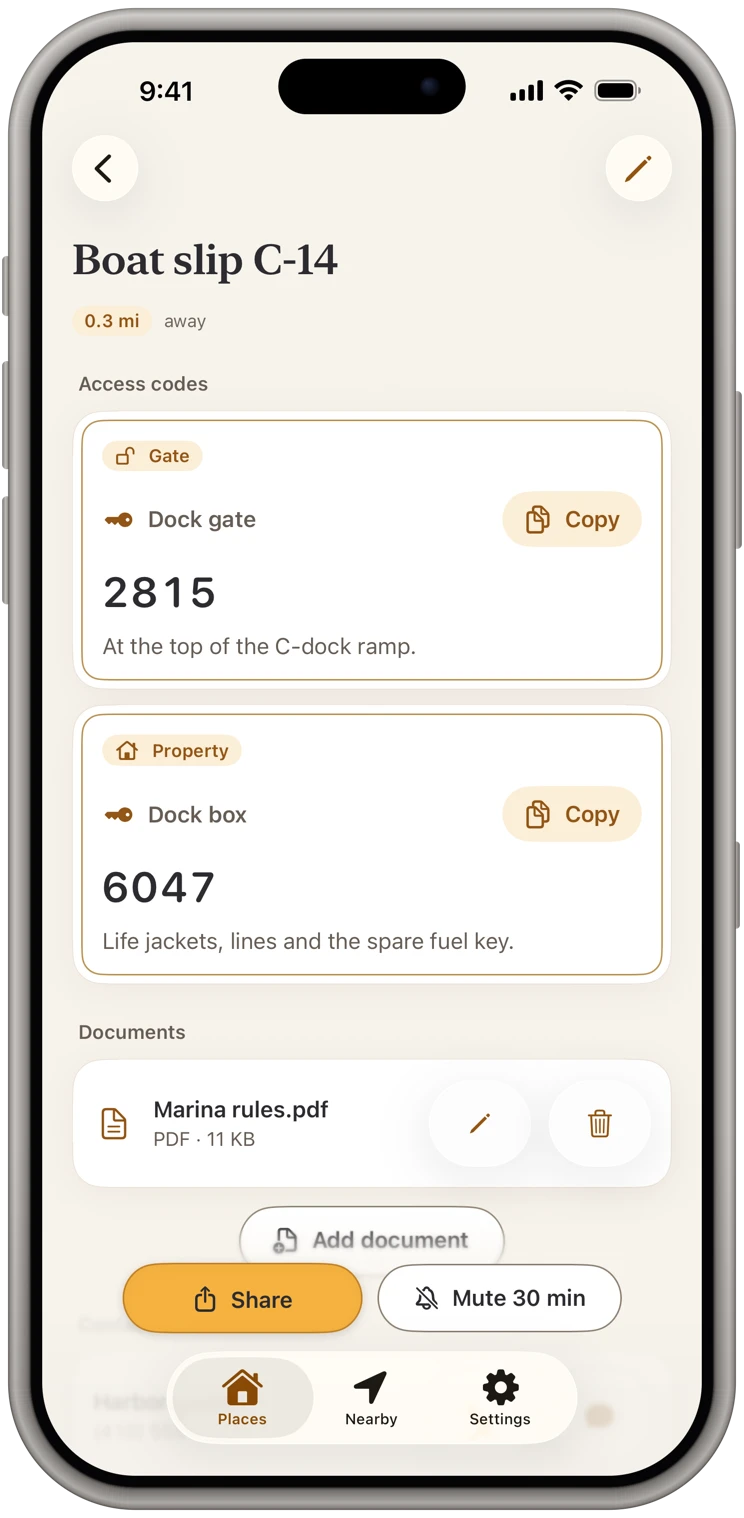
Site maps and building rules go with it.
Attach the parking map, the HOA's gate instructions or the building's rules, and choose which vendors get them. They're encrypted like the codes.
Arrive
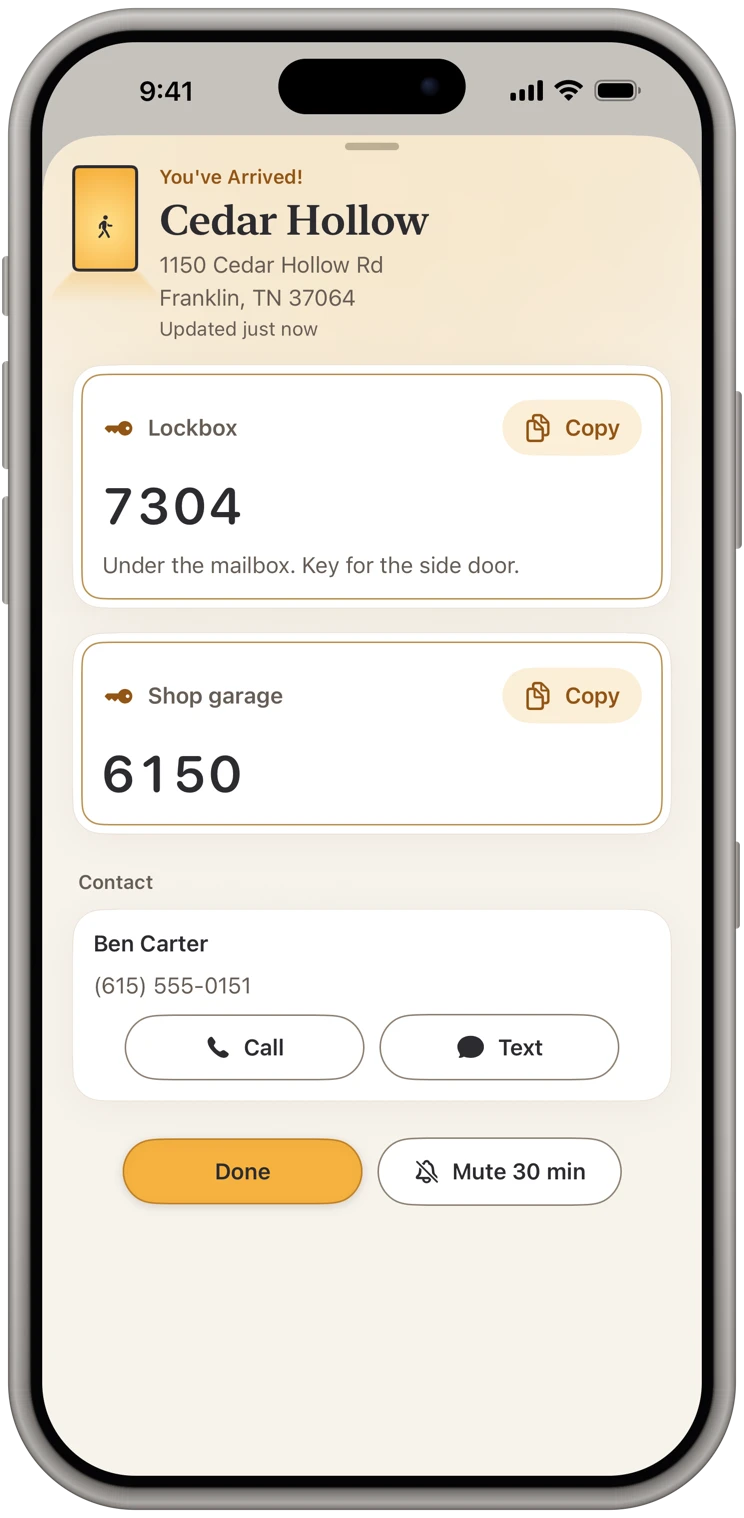
Arrive and the right property is on screen.
Stop at a building and its gate, lobby and mechanical room codes come up, even with the app closed. The owner's or tenant's number is on the same screen.
Plans and sharing
Simple to start, free to receive.
14 days free, then $9.99 a month
Or $119.99 a year. Either plan unlocks everything: your own places, arrival alerts, sharing and documents. Pricing
Free for the people you share with
They add your place free and get your changes, always. Their own places and alerts take a plan, and they can start their own 14-day free trial whenever they like.
Sealed end to end
The message holds only a link, never a code. Our server only passes your share along and can't read it. Privacy policy
Questions
Common questions from property managers
- Is there a team or company account?
- No. Each person keeps their own list on their own phone and shares properties with colleagues and vendors. There's no shared account, and our relay only passes shares along, sealed; it can't read them.
- Do vendors have to pay?
- No. Receiving a shared property is free, always. A plan is only for adding and sharing your own properties and for arrival alerts.
- How many properties can I save?
- As many as you need. Everything is stored on your device.
More on the support page, or see what the app does.
From the blog
Guides for property managers
Stop Keeping Door Codes in Your Notes App and Text Threads
Notes and texts are where most of us keep gate, door and lockbox codes. Here is what goes wrong, what a better setup looks like, and how to switch in ten minutes.
The Safest Way to Share a Door Code With a Cleaner, Contractor or Guest
How to give someone the code to your rental or home without it living forever in a group chat, a shared spreadsheet or a stranger's phone.
Also built for
Realtors
Lockbox and gate codes, on screen at every showing.
Cleaners
Every client's door code, ready when you pull in.
Short-term rental hosts
Every rental's codes, shared with your cleaner and kept current.
Trades & service pros
Walk up to the job with the code already open.
Contractors & builders
Every jobsite's code, on screen when you pull onto the lot.
Facilities & maintenance
Every building's codes, in your pocket, on arrival.
Home health & caregivers
Every patient's lockbox code, private and ready at the door.
Delivery drivers
The gate code, on screen before the gate.
Owners of several properties
Every place you own, one list, on your phone.