 KeyCodeNavigator
Stop Keeping Door Codes in Your Notes App and Text Threads
Open your phone and look for a door code right now. Odds are it is in one of three places: a note called something like "Codes," a text thread from whoever gave it to you, or your head. All three work, right up until the day they do not.
This is not a lecture. Notes and texts are where codes end up because they are already open when the code arrives. But if you visit more than a handful of places with codes, it is worth ten minutes to set up something that matches how you actually use them.
What goes wrong with texts
The code is filed under the person, not the place. You remember the house. You do not remember whether it was the owner, the property manager or their assistant who texted you the gate code in April.
Threads pile up. By the time you need a code again, it is forty messages up, mixed in with scheduling and "running 10 min late."
Old codes look like current codes. A thread might contain three different codes for the same door over a year. Which one is live?
SMS is not private. Green-bubble messages are unencrypted in transit and sit in plain text on the carrier's side. iMessage is better, but the code is still on two phones and in two backups, and you control only one of them.
What goes wrong with a note
A single note titled "Codes" is a real step up from texts. It is one place. But it has its own failure modes.
It becomes a wall of text. Twenty properties in, you are scrolling and reading, standing at a keypad.
No location context. The note does not know where you are. You have to find the property in the list, every time.
It syncs everywhere. Apple Notes syncs to iCloud by default, which is convenient and also means the codes exist on your iPad, your Mac and Apple's servers. iCloud is encrypted, and you can turn on Advanced Data Protection and lock individual notes, but most people do not. A general-purpose notes app is designed to make information available everywhere, which is the opposite of what you want for other people's door codes.
Sharing is all or nothing. To give the cleaner one property's codes from a note, you copy and paste, or share the whole note.
What a good setup looks like
Whatever you use, it should do these five things:
- Organize by place. One entry per property, address or not.
- Hold several codes per place, each with a note. Gate, door, garage, alarm, with "which keypad" written down.
- Show up when you arrive. The code should be on screen when you stop at the property, without a search.
- Share one place at a time, with one person, not as access to your whole list.
- Stay on your phone, encrypted, behind Face ID, with no account and no readable copy on a server.
That list is the design brief for KeyCodeNavigator. It was built by a realtor who did the Notes-and-texts routine for years and got tired of it in a driveway one afternoon.
Switching in ten minutes
You do not need to migrate everything at once. Do it as you go.
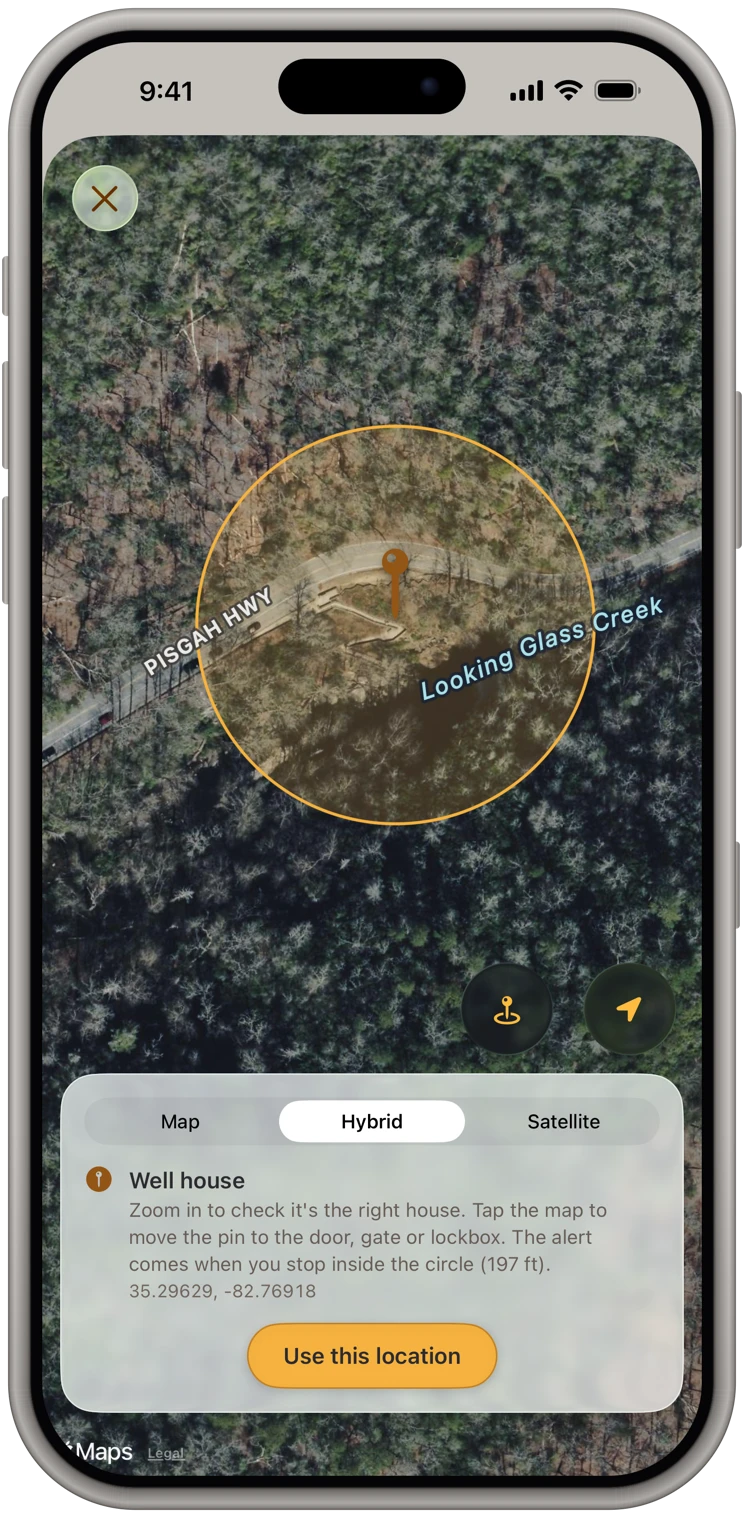
Minute 1 to 3: the places you visit this week. Add each one with its codes. For a property with a street address, look it up. For a gate, a shed, a storage unit or a boat slip, skip the address, give it a name and drop a pin where you actually stop.
Minute 4 to 6: add the notes. For every code, write the one line you would want at the keypad. "Left of the garage." "Press # after." "Panel is in the pantry."
Minute 7 to 8: add the contact. The owner, host or manager for each place, so you can call from the arrival screen when a code has changed.
Minute 9 to 10: clean up the old copies. Delete the codes from your note. Leave the texts, but now you have no reason to scroll through them.
After the first week, the rest fill in naturally. A code arrives by text, you put it on the property's card, done.
What about places with no address?
This is where notes and texts quietly fail hardest. A back-pasture gate, a pump house, a storage unit in a row of two hundred, a slip at the marina. There is no address to search for, so the code ends up as "gate code 2290" in a note with no context.
A place-based app handles these as first-class citizens. Name it, drop a pin on the satellite map at the exact gate, add the code. When you pull up, it comes up.
The privacy question, plainly
Door codes are other people's security. The right place for them is on your own device, encrypted, unlocked with your face, and shared only with the people who need them.
KeyCodeNavigator has no account and no sign-up. Your codes and notes are encrypted on your iPhone, and they leave it only when you share a place, sealed end to end: our server only passes it along and can't read it. Sharing is one place for one person, free for them to receive, and you can remove them at any time. There are no ads, no analytics and no tracking. That is not a marketing position. It is the reason the app exists.