 KeyCodeNavigator
The Safest Way to Share a Door Code With a Cleaner, Contractor or Guest
Someone needs to get into your property today. The cleaner, the plumber, a guest arriving late, the friend picking up your dog. You need to hand them a code, and you would rather not think about where that code ends up.
Here is how to do it well, whether you own one rental or manage twenty.
First, know what you are sharing
Not all codes carry the same risk.
- A one-time or scheduled guest code on a smart lock expires on its own. Sharing it is low risk, because it stops working.
- A cleaner's or contractor's standing code works indefinitely, until you change it. Treat it like a key.
- The master or programming code for the lock should never be shared with anyone who does not need to program the lock.
- Gate codes for a community are often the same for everyone and change rarely. They are the ones most likely to leak, and the ones you have the least control over.
If your lock supports per-person codes, give each regular visitor their own. When the relationship ends, delete that one code rather than changing everyone's.
The three ways people share codes, ranked
3. A shared spreadsheet or group chat
This is the default for a lot of hosts and property managers, and it is the worst option. Everyone in the group sees every code for every property. Nobody remembers who was added two years ago. When a cleaner leaves, the spreadsheet does not know.
2. A separate message for each property
Better. The person gets what they need for the job in front of them and nothing else. The weakness is that the code now sits in their message thread forever, it doesn't change when you change the code, and you have no record of what went to whom unless you keep your own notes.
1. A shared place that stays up to date
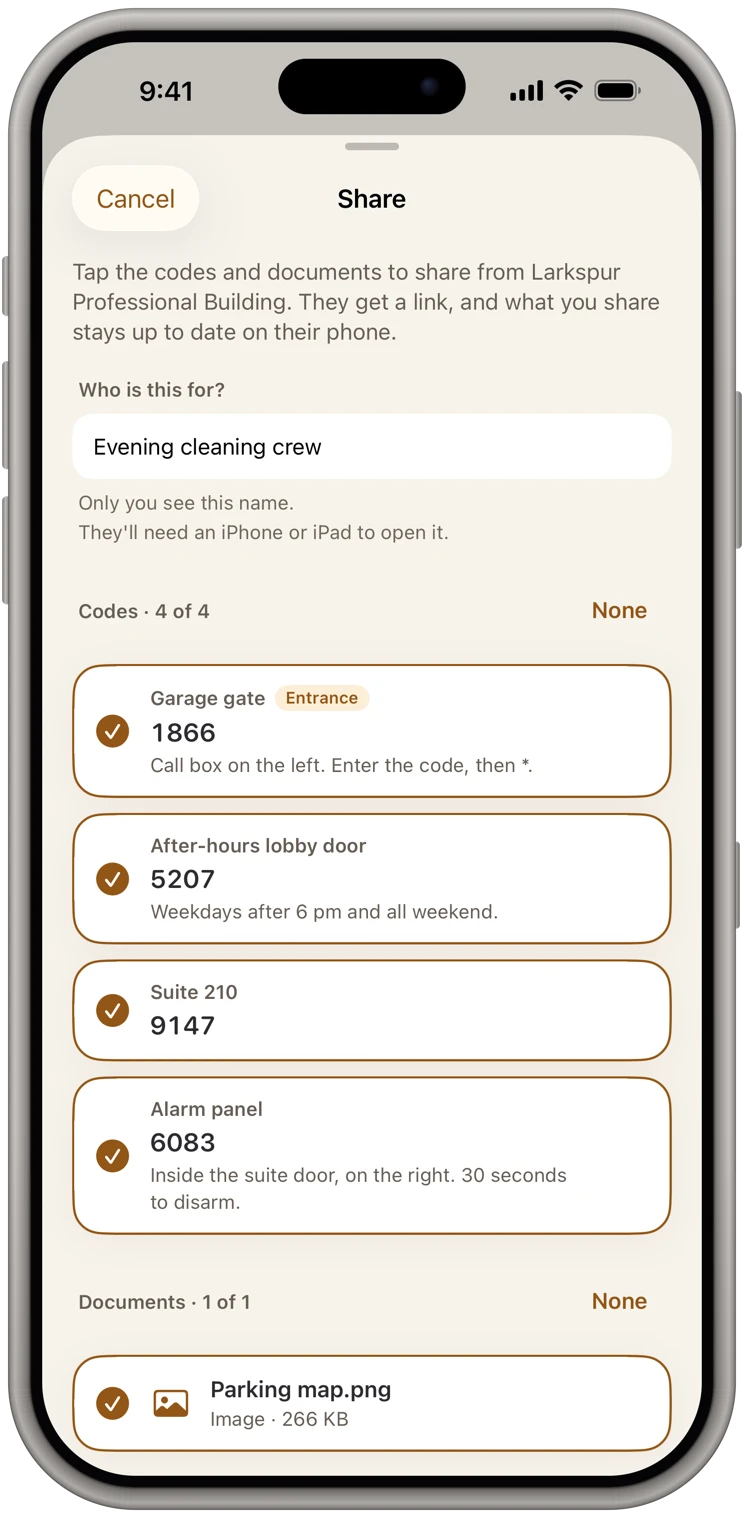
The best version keeps a clean record of each property on your own phone and shares the place itself, not a code in a message. That is how KeyCodeNavigator works: each property has its codes, notes and documents, and Share gives one place to one person, with only what you pick. The message holds only a link, never a code: the place is sealed end to end on your phone, and our server only passes it along and can't read it. They add it free. When you change a code, their copy updates, and when the job is over, you remove them and it comes off their phone.
Rules that keep sharing safe
Share one property at a time. Never forward a screenshot of your whole list or a message thread from another property.
Include the note, not just the number. "Lockbox 4471, on the hose bib, left of the garage" saves a phone call and avoids the person trying the code on the wrong keypad.
Name the date it stops working, if it does. "Guest code 2290, valid through Sunday 11 a.m." sets expectations and makes an expired code less alarming.
For a guest's code, use the booking platform's messages or iMessage, not plain SMS. Green-bubble SMS messages are not encrypted anywhere along the way.
Do not include the address and the code in the same message if you can help it. If the recipient already knows the address, just send the code. A message that says "Front door 1985" is useless to anyone who finds it. A message that says "123 Oak St, front door 1985" is not.
Keep your own copy somewhere private. If you have to look at old outgoing texts to remember what code you gave the plumber, you do not have a system.
When the relationship ends
The most commonly skipped step. When a cleaner, handyman or co-host stops working with you:
- Change or delete the code they used.
- Update your own record.
- Make sure everyone else who uses that property has the new code. In KeyCodeNavigator, changing it updates every copy you've shared.
With per-person smart lock codes this takes a minute. With a shared combination lockbox it means physically changing the dial and telling everyone, which is why standing codes on mechanical lockboxes should be rotated on a schedule anyway.
What about the guest who lost the code?
Guests lose codes constantly, usually while standing at the door with luggage. Have the property's codes on your phone, ready to send. If the property's card is one tap away, this is a thirty-second problem. If the code is somewhere in a booking platform's message history, it is a five-minute problem with an annoyed guest attached.
This is one of the quiet advantages of keeping codes tied to places rather than conversations. You look up the property, not the person.
Why we built it this way
KeyCodeNavigator keeps your properties and codes on your own iPhone, encrypted and behind Face ID, with no account to sign up for. Sharing is one place for one person, sealed end to end, free for them to receive, and their copy updates when you change a code. They get exactly what they need for one property, and you're never managing permissions on a shared list.
If you are a cleaner or contractor on the receiving end, the same app works from your side. If the host uses KeyCodeNavigator, they can share the property with you, free, and it updates itself. If not, save the codes yourself with the property, and they come up on screen when you pull in, without scrolling through months of messages.